
一步步学做wordpress主题–添加后台小工具
今天学做主题,需要给网站后台添加小工具,是用户可以自己添加想要的东西,
本以为会很难,然后看了一下wordpress3.0默认主题的sidebar.php的代码,发现了源头,
然后顺藤摸瓜,哈哈,秘密被我发现了!闲话不多说,下面上代码:
1、function注册sidebar小工具(thems=>your theme=>functions.php)
`
function twentyten_widgets_init() {
register_sidebar( array(

	'name' => __( 'Primary Widget Area', 'twentyten' ),

	'id' => 'primary-widget-area',

	'description' => __( 'The primary widget area', 'twentyten' ),

	'before_widget' => '
‘,
'after_widget' => '
‘,
'before_title' => '
‘,
'after_title' => '
‘,
) );
}
`
解释:name:小工具的名称
id:小工具id,调用时对应id
description:小工具描述
before_widget:小工具内容前面的html标签
after_widget:小工具内容后面的html标签
before_title:小工具标题前面的html标签
after_title:小工具标题后面的html标签
2、将调用工具内容的代码放到你要放置的地方
`
`
OK ,就这么简单,最后使用css将sidebar小工具的前台样式修饰一下就行了,so easy !
本博客所有文章除特别声明外,均采用 CC BY-NC-SA 4.0 许可协议。转载请注明来源 WEIXING.ME!
评论
相关推荐
2025-03-19
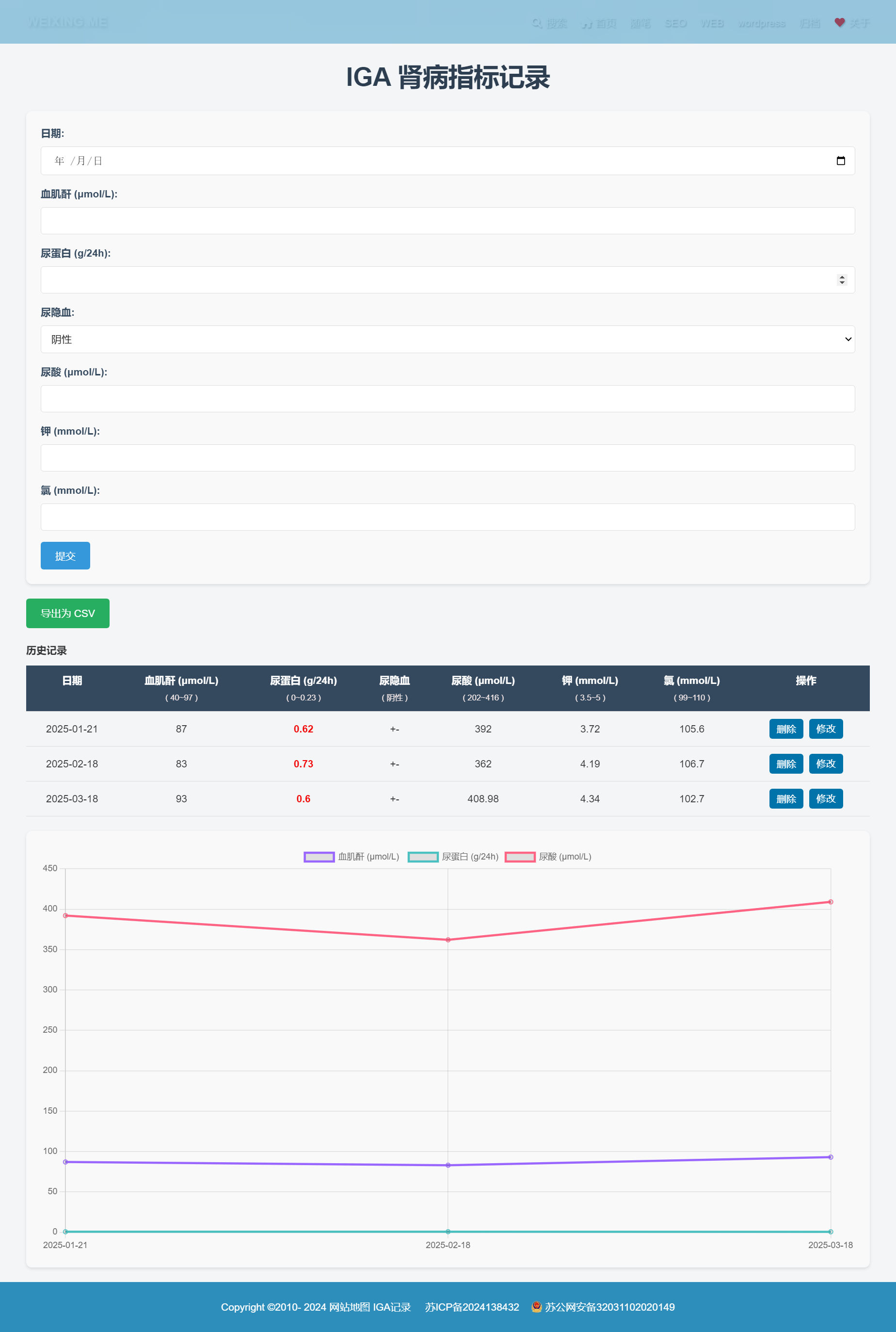
做了个IGA肾病数据记录页面
昨晚10:30到12:30肝了两个小时,在DeepSeek的帮助下,写了一个记录IGA各种指标的页面,写这个页面的起因是我这个病要每月检查一次,防止病情的恶化,如果每次检查都是在可控范围之内,就没有恶化成尿毒症的可能性,为了自己的健康,能够更直观的看到我的各项指标每个月的变化情况,于是写了这个页面,本来只想用折线图的方式展示就行了,后来发现折线图的展示有些局限性,于是增加了表格的功能作为补充。 思路: 1、WordPress自定义字段 2、添加、删除、修改数据的功能 3、折线图展示及表格数据补充 4、样式的美化 5、细节上的修正 整个页面的代码基本上都是AI帮我完成的,我只是告诉他我要的功能及实现方式,他会帮我把代码写出来,然后我会对代码进行运行,在运行过程中出现什么问题,或者有哪些要修改的地方,直接告诉AI,他会给你修改方案,然后把修改的代码在源文件中逐一修改,直至达到你满意。 这是我第一次用AI帮我写代码,说句心里话,AI的写代码的能力真的非常强大,进本上没有错的地方,偶尔有些小问题,你只要正常的表达他基本都能理解你的意思,AI真的是码农的好帮手。 IGA指标记录 这个☝...
2011-02-26
Win7上IIS与XAMPP端口冲突解决方法
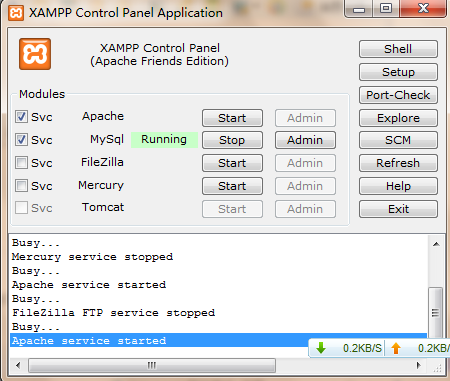
今天在win7的电脑上装了XAMPP准备做wordpress主题,但是打开127.0.0.1直接打开IIS 看了下Apache没有运行,显示busy,然后想到可能是80端口被占的问题, **解决方案:**通过修改apache/conf/目录下httpd.conf文件中的端口号来实现正常启动apache 有两个地方需要修改 1: #Listen 0.0.0.0:80 #Listen [::]:80 Listen 80 2: ServerName localhost:80 将80改为8000,然后重启Apache,还是不行,依然是busy,如下图: IIS,迅雷等工具未启动,而apache就是启动不了,xampp中集成的其他如mysql等都可以正常启用 此时你如果再点击start按钮,在error.log中会发现如下提示 [Wed Dec 29 11:38:55 2010] [notice] Digest: generating secret for digest authentication … [Wed Dec 29 11:38:55 2...
2011-08-02
WordPress获取某一单页页面内容
准备做一个企业站的模版,在首页显示“公司简介”的内容时,需要调用页面“公司简介”的内容,于是找了资料,实现**wordpress首页获取某一页面的内容** Wordpress在生成文章页的时候在各个页面中唯一不变的只有当前的文章ID,所以我们可以根据页面的ID来显示此也面的内容: 代码: ` post_content; ?> ` 其中的3为你的单页的id 获取其他信息参数: post_author:(整数)文章作者的编号 post_data:(字符)文章发表的日期和时间(YYYY-MM-DD HH-MM-SS) post_data_gmt:(字符)文章发表的格林尼治标准时间(GMT) (YYYY-MM-DD HH-MM-SS) post_content:(字符)文章内容 post_title:(字符)文章标题 post_category:(整数)文章类别的编号。注意:该值在WordPress 2.1之后的版本总为0。定义文章的类别时可使用 get_the_category()函数。 post_excerpt:(字符)文章摘要 post_status:(字...

2012-09-12
wordpress小工具中的标签文字大小修改
今天修改一个wordpress主题,需要让标签的字体大小确定,与页面其他链接相同,而不是有大有小,但是我是使用的小工具自带的标签,所以不能用css直接修改,于是在网上找了些资料,解决方法很简单,只要修改include下的一个文件的一小段代码就Ok了,下面是解决方法!! wordpress文件中找到/wp-includes/category-template.php,搜索:wp_tag_cloud,则看到如下默认设置: ‘smallest’ => 8, ‘largest’ => 22, ‘unit’ => ‘pt’, ‘number’ => 45’, ‘format’ => ‘flat’, ‘separator’ => “n”, ‘orderby’ => ‘name’, ‘order’ => ‘ASC’, 说明: smallest – 定义标...
2011-03-29
一步步学做wordpress主题–给主题添加选项
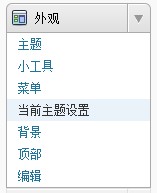
今天成功实现给wordpress主题添加主题选项的功能,看了很多代码,虽然不是很明白每句代码的意思,但是按照别人的模板 也能做出来,下面是我做的效果: 这个代码是参照知更鸟的主题选项做的,主要方法代码如下: 1、建立主题选项的php页面,如:option.php,复制如下代码(部分): ` cat_ID] = $category_list->cat_name; } $number_entries = array(“Select a Number:”,”1”,”2”,”3”,”4”,”5”,”6”,”7”,”8”,”9”,”10”, “12”,”14”, “16”, “18”, “20” ); $options = array ( array( “name” => $themename.” Options”, “type” => “title”), //首页布局设置开始 array( "name" => "模板基本设置", array...
2016-04-22
wordpress插件Adminimize–不同角色隐藏/显示不同的功能
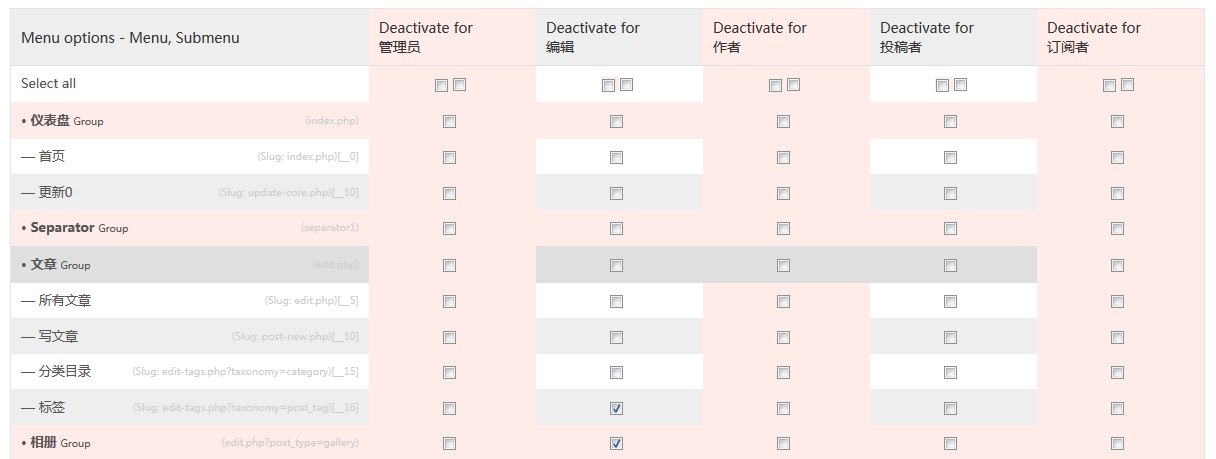
今天用wordpress给朋友做一个企业网站,主题基本做好,由于朋友不懂wordpress,后台很多东西都不知道是干嘛用的,为了简化后台显示的内容,在网上找到了一款名叫“Adminimize”的插件,果然是很强大,可以把后台的所有的模块都可以根据不同的角色隐藏/显示不同的功能,如果你不想让“编辑”角色的账号显示“标签”功能,就直接在“编辑”角色的“标签”功能的前面打钩,提交后,该角色就没有此功能了,其他的不多说了,功能强大谁用谁知道。后台插件安装直接搜索Adminimize就可以了!!